
For me
Smart home
A houseful of devices that finally speak the same language.
Ongoing
Home Assistant, Zigbee, Wi-Fi, MQTT, Proxmox VE
Runs at home
Home Assistant, running as a virtual machine on the homelab, brings a set of devices that don't normally work together under one dashboard: the TV, a printer, the dishwasher, a robot vacuum, light bulbs and LED strips, the outdoor lights, a heater, the blinds, the front door lock and the garage door. They arrive over Zigbee, Wi-Fi and MQTT rather than one protocol, and the whole thing runs locally on the homelab rather than on any manufacturer's cloud.
The problem
Home is full of devices that each come with their own app, and the screens that control them suited me, not everyone else at home. The touch app for the audio, video and lighting was even pulled from the App Store. I wanted one screen anyone at home could just use.
How it works
A bulb, a dishwasher and a television come from different makers on different protocols, each with its own app and usually its own cloud account that has to be online before a switch does anything. Home Assistant is the layer that normalises them into one set of entities, so a device is addressable the same way whether it speaks Zigbee or sits behind a vendor’s Wi-Fi API.
Keeping that layer on the homelab rather than a vendor’s server is what makes it dependable: the lights still work when the internet is down, and nothing breaks when a manufacturer retires an API.
A panel anyone can use
Home Assistant’s own screens suit me, not everyone else, so home gets a panel made for the people who live there.
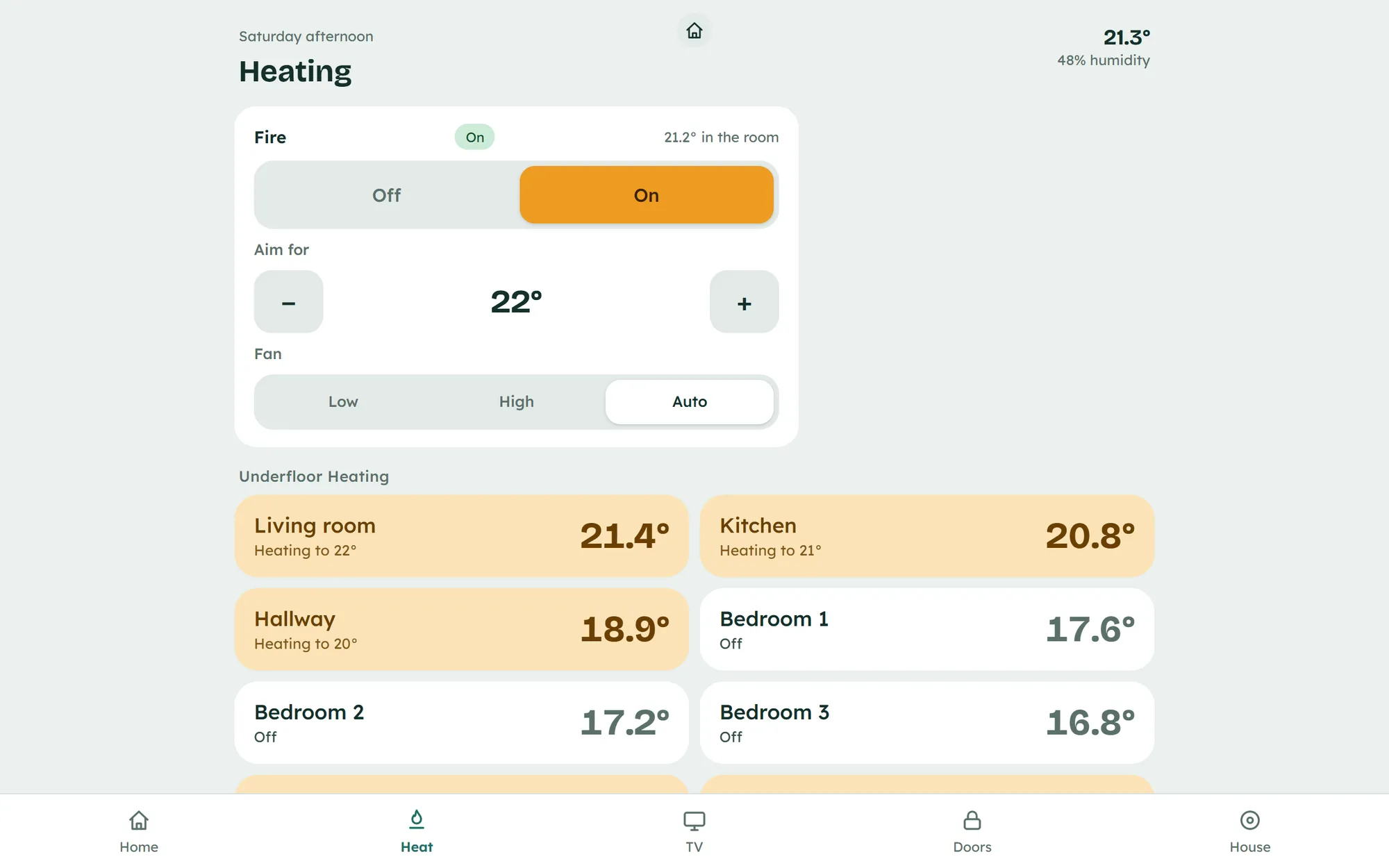
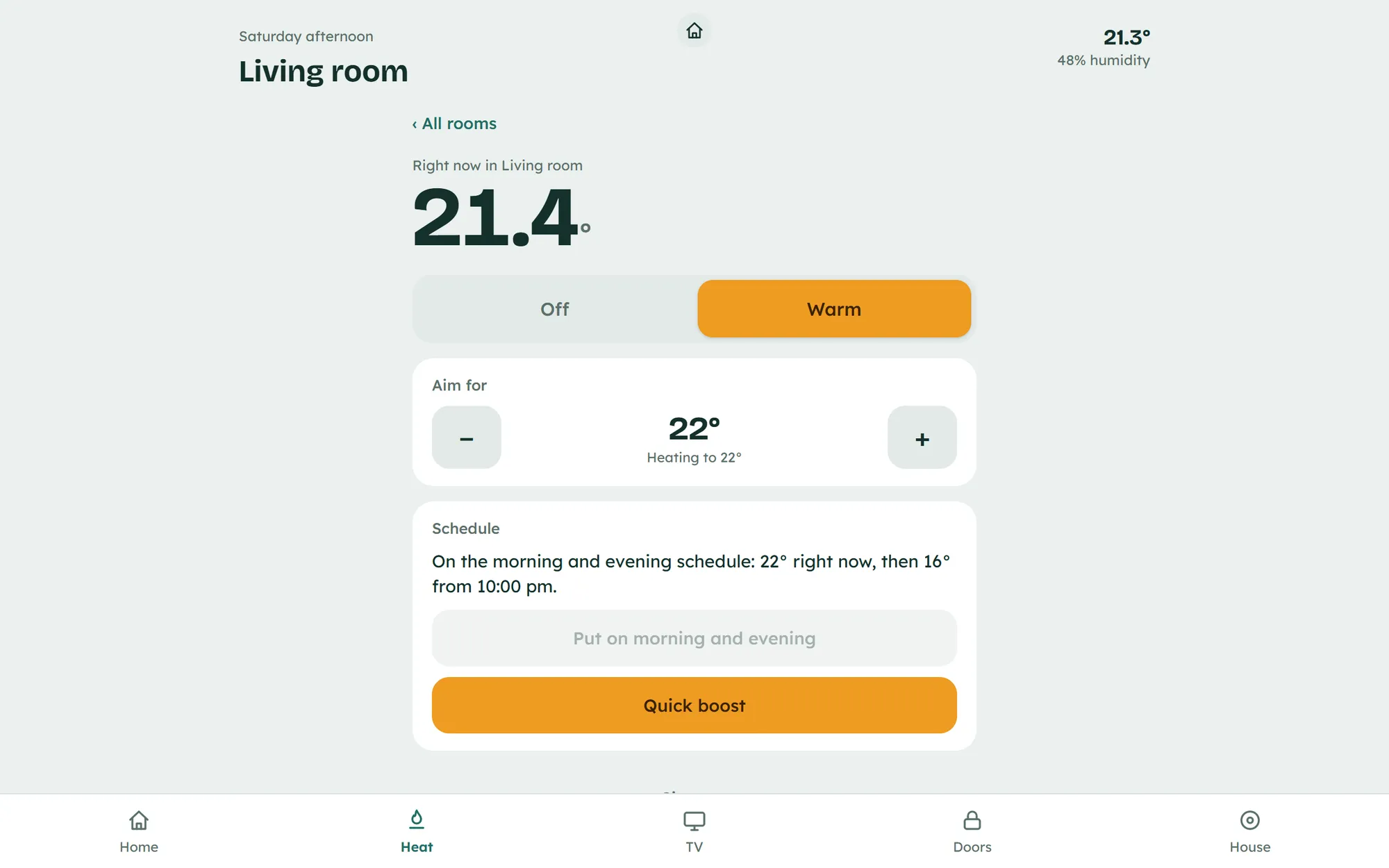
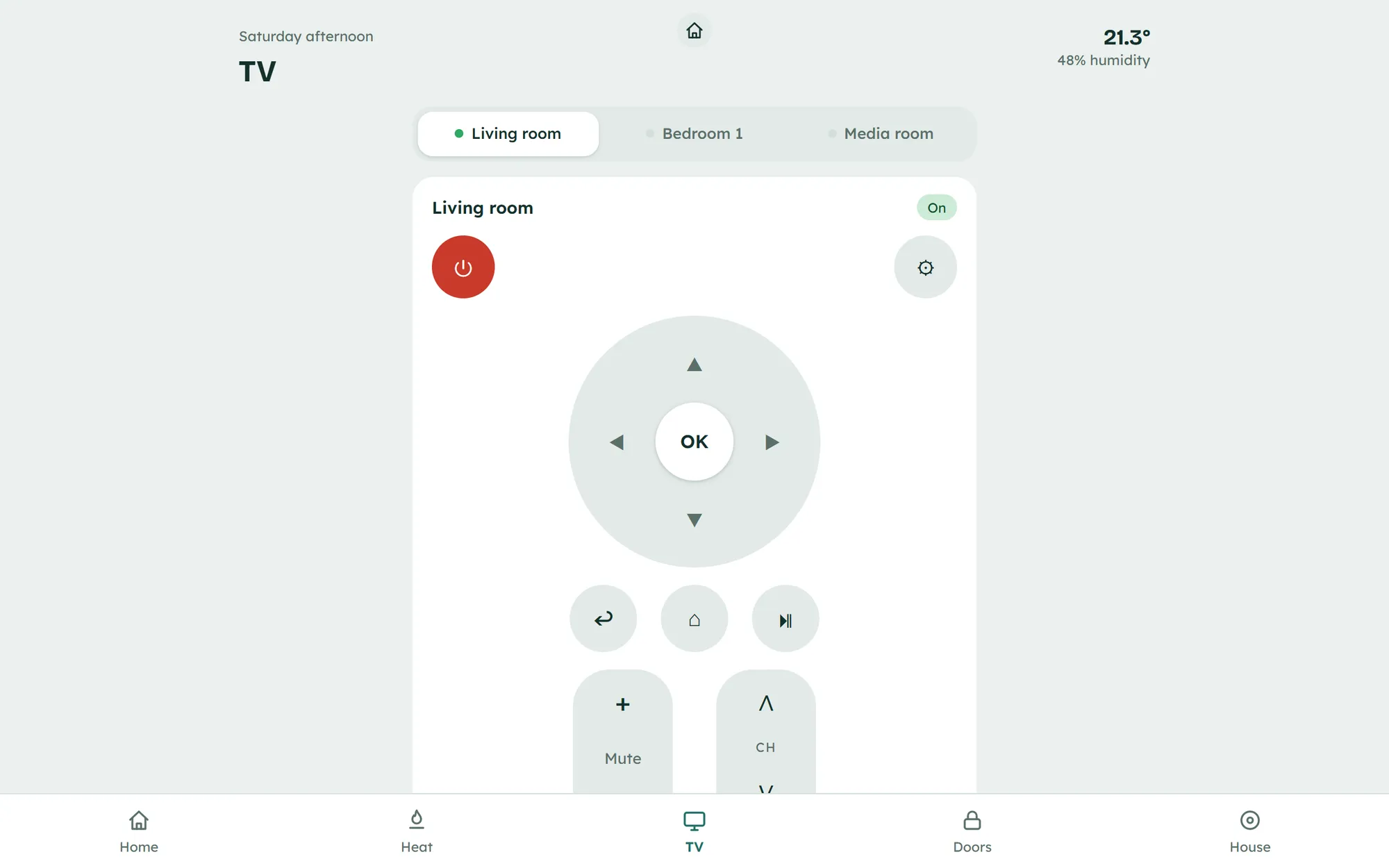
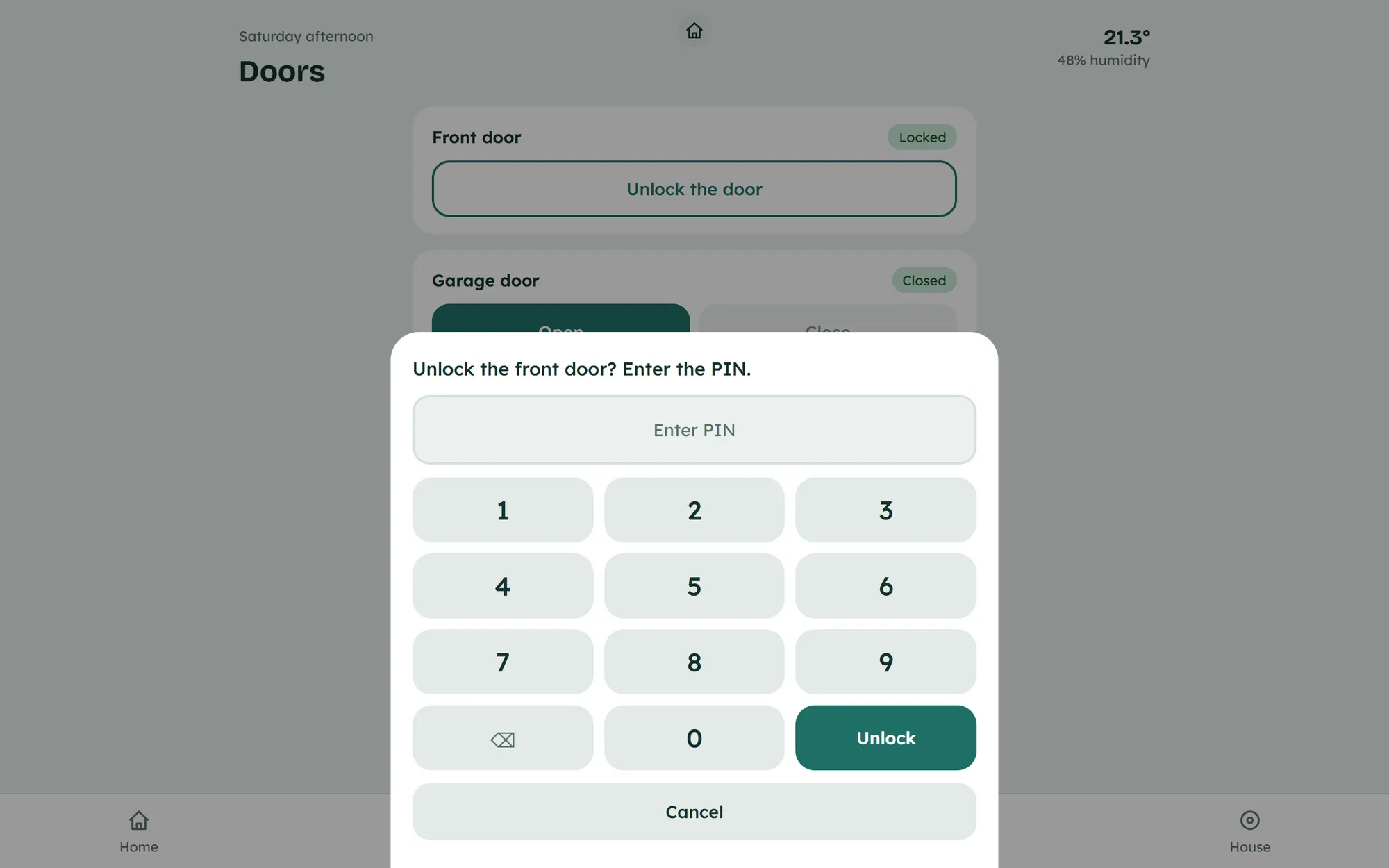
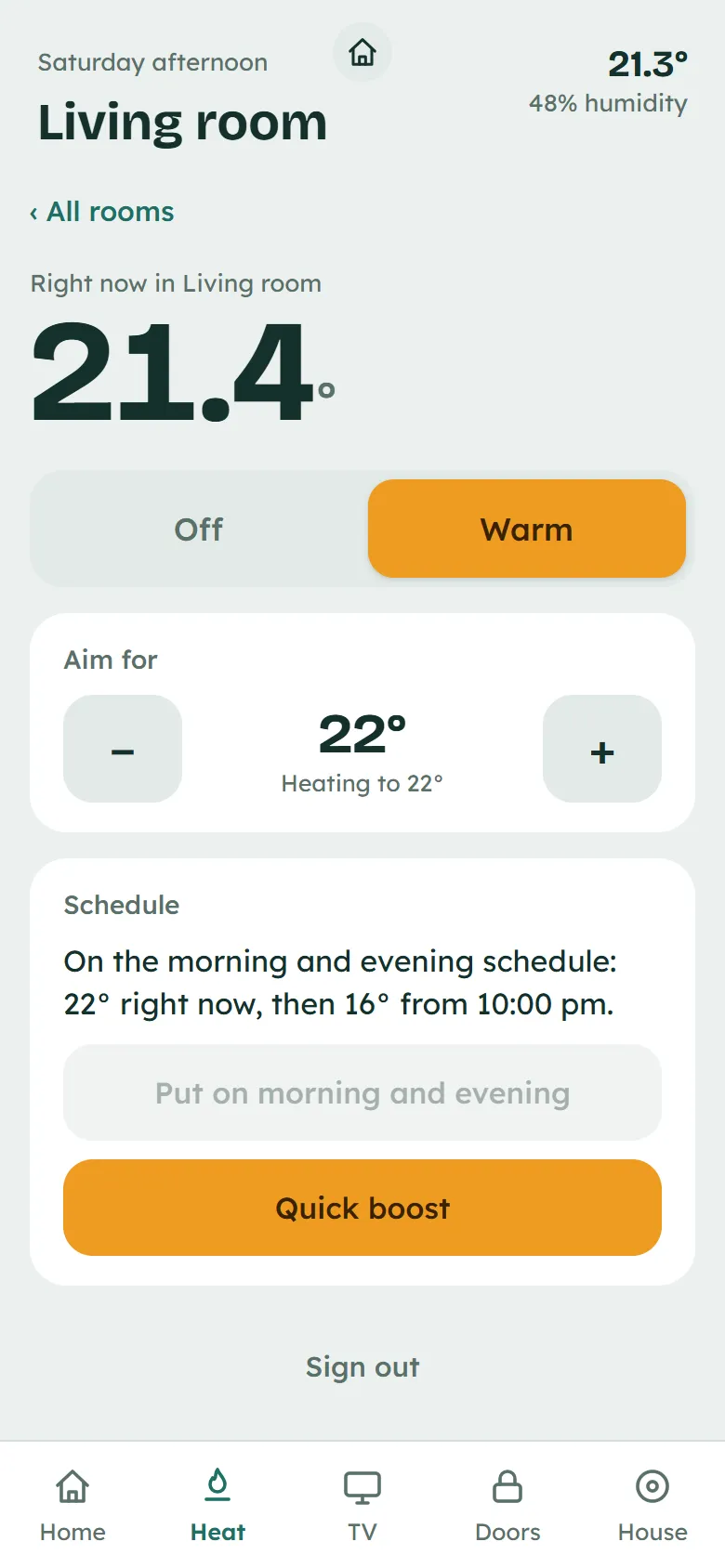
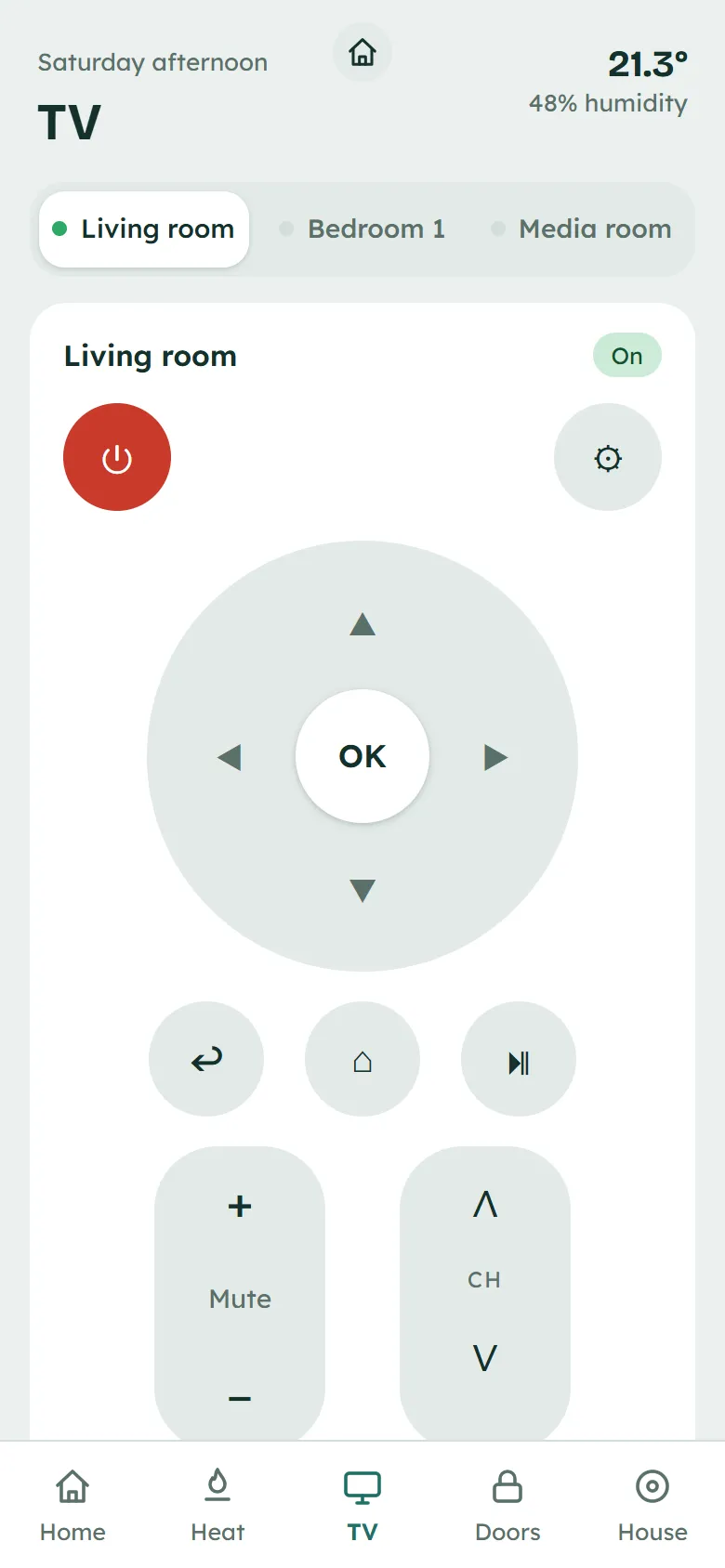
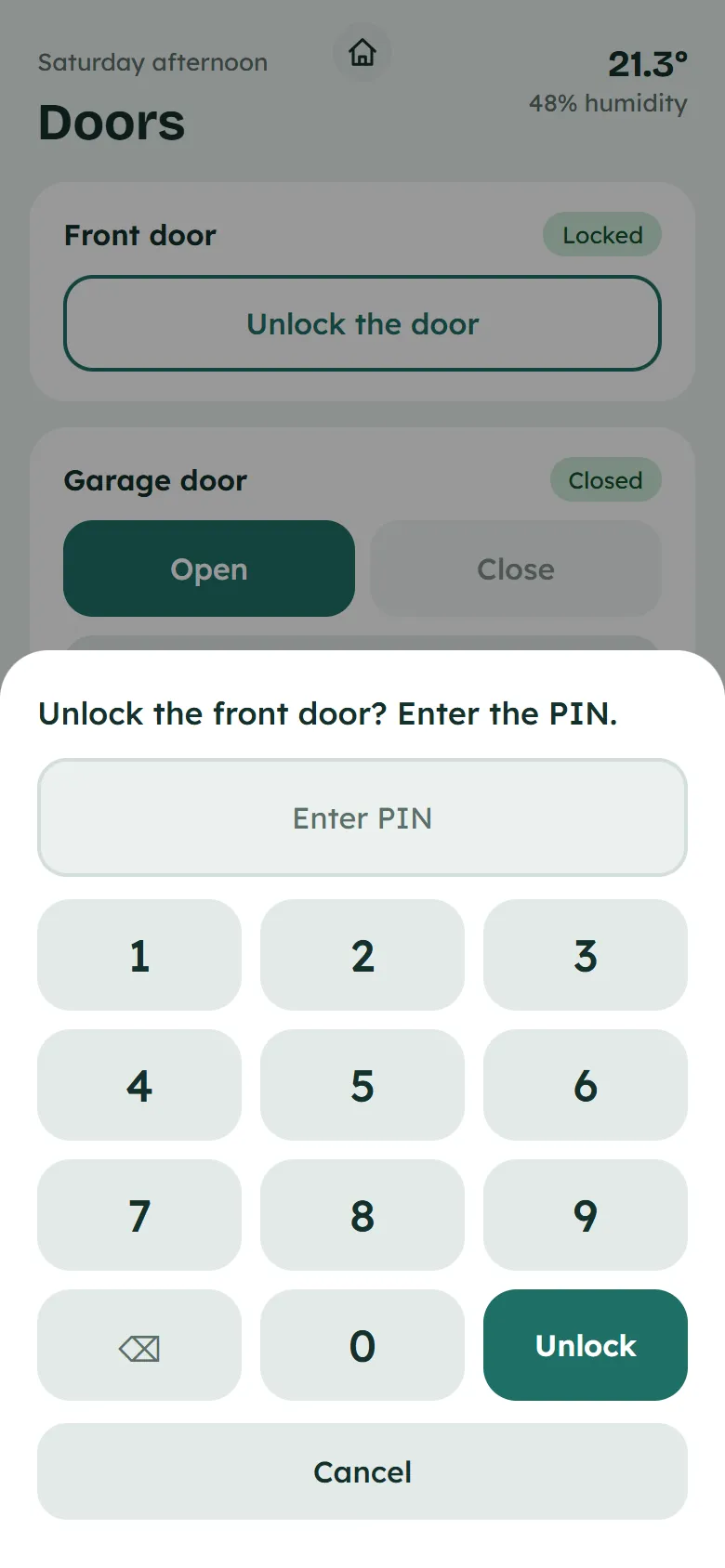
It’s a room-by-room panel on top of Home Assistant, served from a small container on the homelab: heating per room with its schedule in plain words, a TV remote laid out like the real one, the front door lock behind a confirm step, and the garage. New versions are built and tested on a staging page before they replace the live one, and open screens reload themselves when it changes.
The audio, video and lighting run on a Leviton BitWise system, a platform that’s been discontinued, with its touch app pulled from the App Store. The project file turned out to be plain XML with every image embedded, so I could work out the controller’s commands from it directly. The replacement is a single web page that sends those commands straight to the controller: sources, volume, lighting scenes and radio presets for each room, with no app or server in between. It doesn’t show live status yet; the next step is a small proxy that reads it back.